Building a small business website used to mean choosing a template, creating every page, and bringing in a developer when things got technical. Getting online was only the start, with separate tools often needed for marketing.
In 2026, website builders bring more of that work together. Many can turn a short business description into a complete site with layouts, copy, images, branding, and marketing tools already in place.
We tested five popular website builders to see which ones make it easiest to create a professional website and get your business online.
How We Compared the Top Website Builders
Each platform below was evaluated against the same set of criteria, so the comparison reflects what actually matters to a small business owner rather than just a features checklist:
- Speed to launch: how quickly a business owner can go from a blank prompt to a live, working website
- Branding depth: whether the platform builds a cohesive brand (logo, colors, fonts, business cards, social templates) or just a standalone page
- Ease of use: how much design or technical experience is needed to get a finished result
- Template quality: whether templates look industry-appropriate out of the box or need heavy customization
- Core business features: contact forms, booking, payments, and email capture available without add-ons
- Pricing transparency: how the free plan compares to paid tiers, and whether monthly versus annual pricing is clearly worth it.
The table gives a quick snapshot before the full breakdown:
| Rank | Website Builder | Best For | Starting Price |
|---|---|---|---|
| 1 | Design.com | Fastest path to a finished brand and website | Free plan, from $6/mo billed annually |
| 2 | BrandCrowd | Building a site around your existing logo | Free plan, from $6/mo billed annually |
| 3 | Canva | Quick, simple sites for existing Canva users | Free plan, Pro from $13/mo billed annually |
| 4 | Wix | The most business tools in a single platform | Free plan, paid plans from $17/mo billed annually |
| 5 | Squarespace | Design forward templates for creative brands | $16/mo billed annually, no free plan |
Full Breakdown
Design.com – The Best AI Website Builder for a Finished Brand
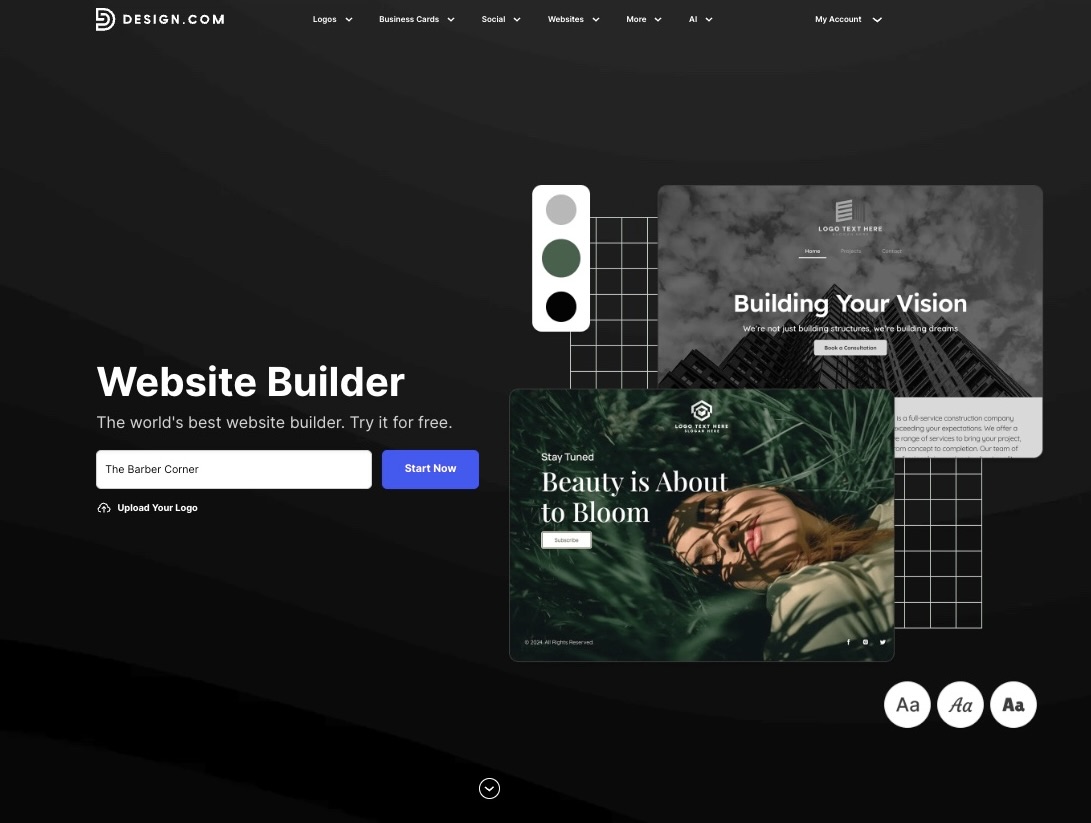
Design.com offers an AI website builder that takes a different approach than most builders on this list. Instead of handing you a blank template to fill in, it asks about your business name, industry, and style preferences. Then, it generates a complete website in seconds, with the layout, color palette, typography, and page copy already built around your business before you make a single edit.
For example, typing “local barbershop” into the generator returns a full set of site options already built for that niche. Here’s the sample list it generated for a fictional barbershop called The Barber Corner.
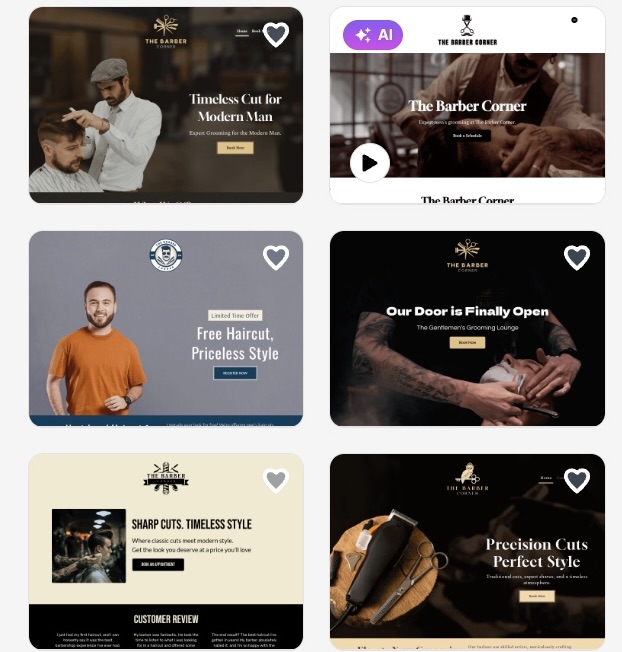
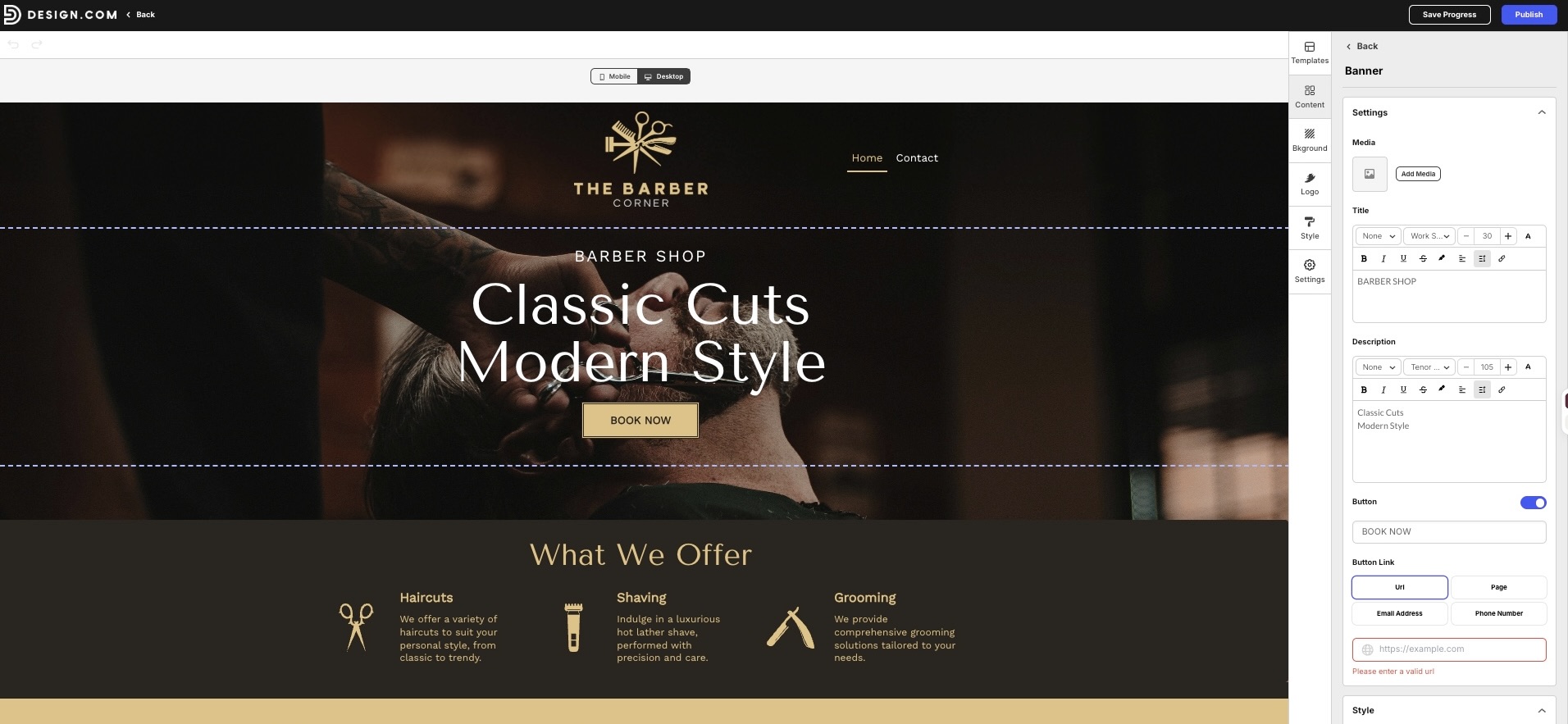
Each site already includes a polished services page, an online booking layout, and a well-matched barbershop color palette before you make any edits. Look how the editor also made it easy to adjust the content and layout to fit the business.
What Design.com does well:
- Generates complete website layouts with pages, sections, and site structure
- Creates AI-written website copy, headlines, and business descriptions
- Provides 3,000+ professionally designed, industry-specific website templates
- Offers drag-and-drop editing for colors, fonts, images, sections, and layouts with no coding required
- Applies brand colors and fonts from your existing logo or a logo created on Design.com
- Maintains consistent colors, fonts, and visual branding across website pages
- Connects with 50+ design tools for logos, business cards, social graphics, flyers, posters, and more
- Optimizes websites automatically for desktop, mobile, and tablet screens
- Provides real-time device previews for checking layouts across different screen sizes.
Pricing:
- Free ($0): Up to 3 pages, hosting, contact forms, video and maps, with a Design.com watermark.
- Monthly ($9/mo): Unlimited pages, 100+ templates, custom domain connection, full editor, email capture, payments, galleries, and video.
- Annual ($6/mo): All paid features at a lower monthly rate when billed annually.
Verdict: Design.com delivers a professional small business website with minimal setup. Its combination of website tools, branding features, and affordable pricing makes it our strongest overall pick for 2026.
BrandCrowd – Best Website Builder for Logo-First Brands
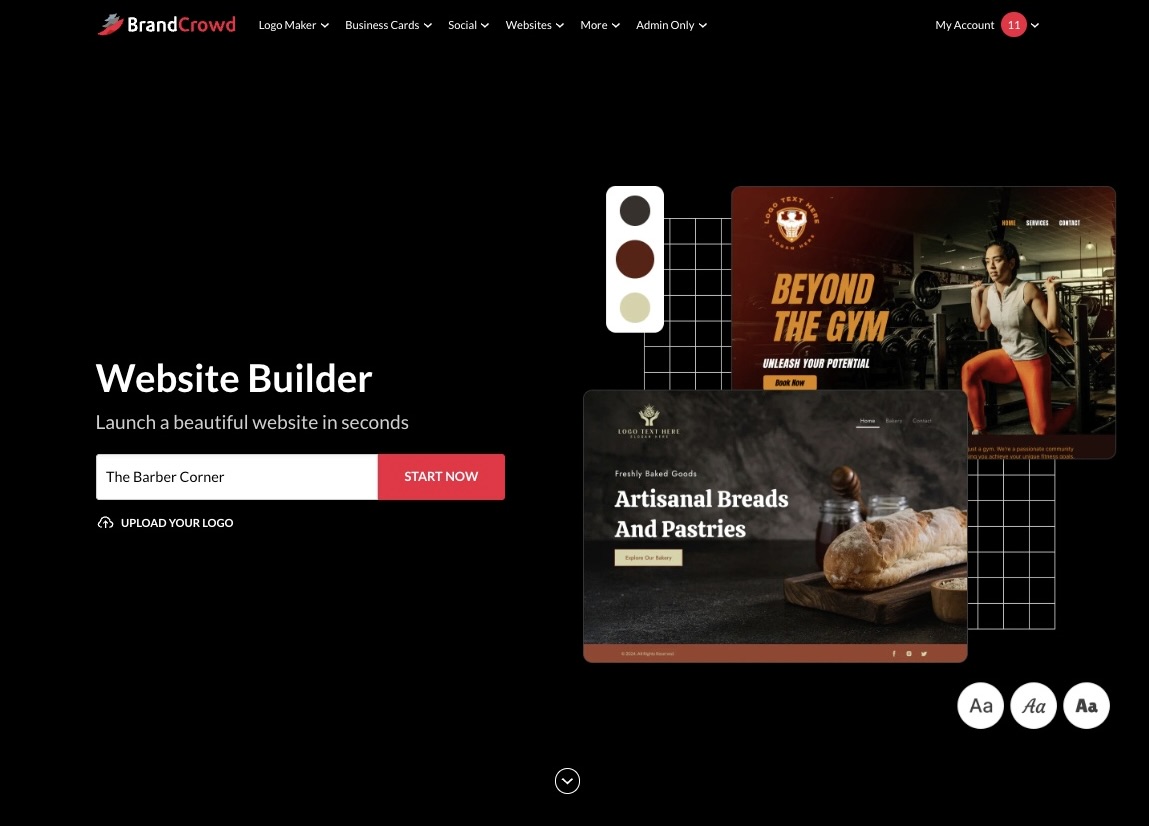
BrandCrowd’s website builder is a strong option for small businesses that want to create websites around an established visual identity. It combines industry-specific templates with a simple editor, making it easy to build a professional site without coding.
For consistency, we also tested BrandCrowd using The Barber Corner. Here are the websites it generated for the business:
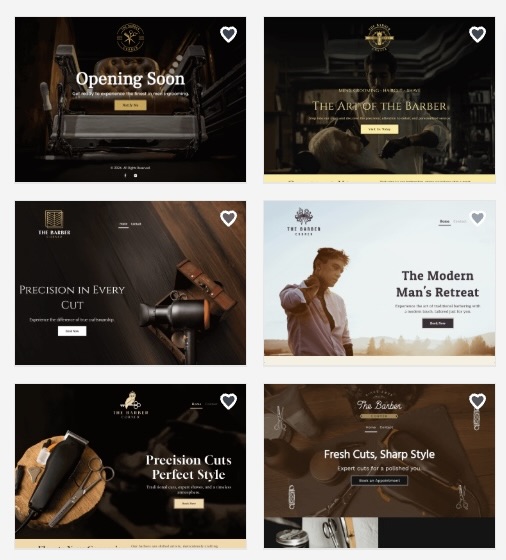
The designs used bold layouts that suited the barbershop, with strong imagery and clear sections for presenting services and other important information.
What BrandCrowd does well:
- Industry-specific templates provide website designs for different types of businesses
- Visual editing makes it easy to change text, images, sections, backgrounds, and layouts
- Unlimited pages support services, about, contact, gallery, and other website pages
- Lead capture tools include contact forms and email collection
- Business features include image galleries, videos, maps, and online payments.
Pricing:
- Free ($0) includes hosting, up to 3 pages, basic editing tools, and a BrandCrowd watermark
- Monthly ($9/mo) includes 100+ templates, unlimited pages, full editing, custom domain connection, lead capture, galleries, video, and payments
- Annual ($6/mo) includes all paid features at a lower monthly rate when billed annually
Verdict: BrandCrowd is the next choice for small businesses that want to build a website around an existing visual identity. Its templates, editor, and business tools make it easy to create a polished site without starting from scratch.
Canva – Best Website Builder for Existing Canva Users
Canva’s website builder brings its familiar visual editor to website creation. Users can choose a template, edit each section with drag-and-drop tools, and publish the finished site from the same platform.
We tested Canva by creating a website for The Barber Corner. Here’s the result:
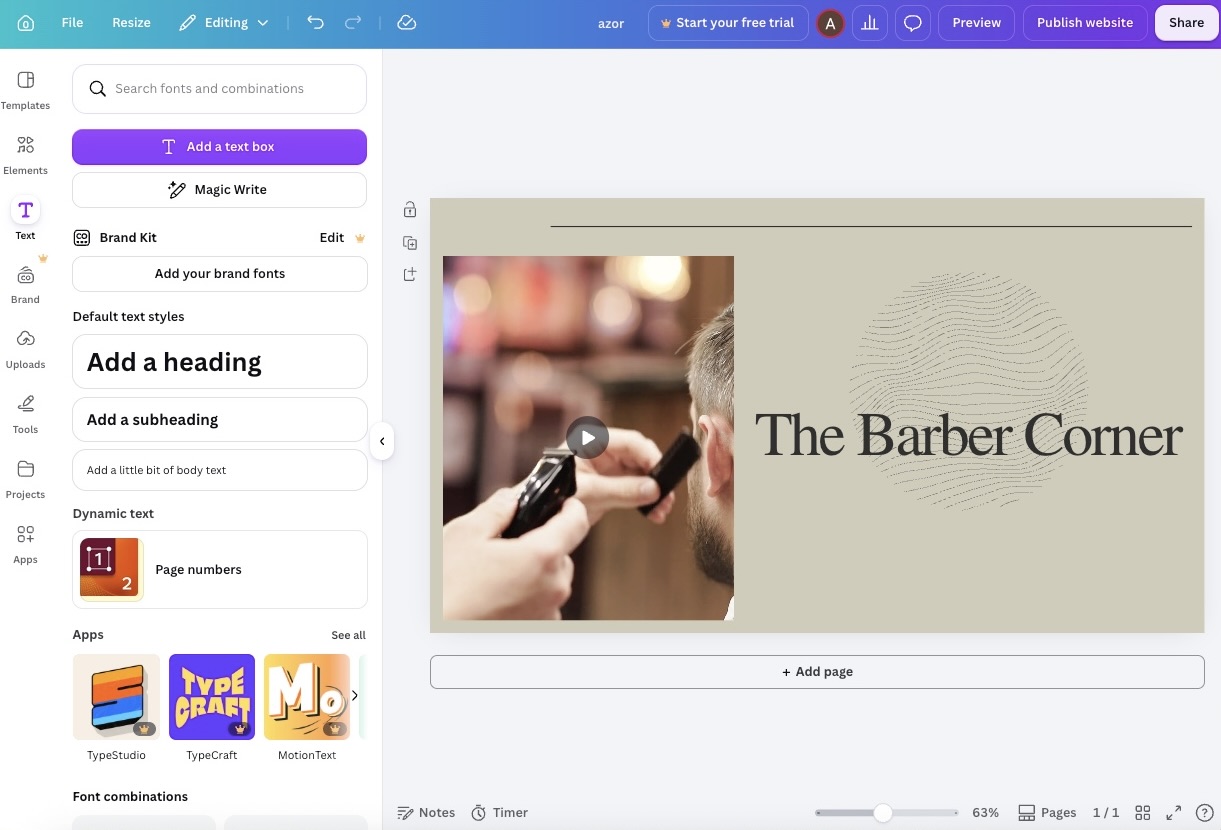
The template gave us a starting point with large imagery, editable sections, and simple navigation. Editing is fairly straightforward, but the website controls are more limited than what you get with a dedicated website builder.
What Canva does well:
- Website templates cover different business types and design styles
- Visual editing makes it easy to move, resize, and replace page elements
- Stock assets provide access to photos, graphics, icons, and illustrations
- Responsive layouts adapt designs for desktop and mobile screens
- Publishing tools support Canva domains and custom domains on eligible plans
Canva is better suited to simple websites, particularly for users who already create other materials on the platform.
Pricing:
- Free ($0) includes website templates, Canva domains, and basic publishing features
- Canva Pro ($120/year or $15/month) adds premium templates and assets, Brand Kit tools, and additional design features
Verdict: Canva is a practical option for existing users who need a simple business website. The familiar editor keeps the process accessible, but its website tools are not as extensive as more dedicated website builders.
Wix – Best All-in-One Website Builder for Growing Businesses
Wix combines its website builder with a broader set of tools for running a business online. Its AI website generator can create an initial site from a business description, while the editor provides more control over individual pages and sections.
We gave Wix the same brief and generated the following website:
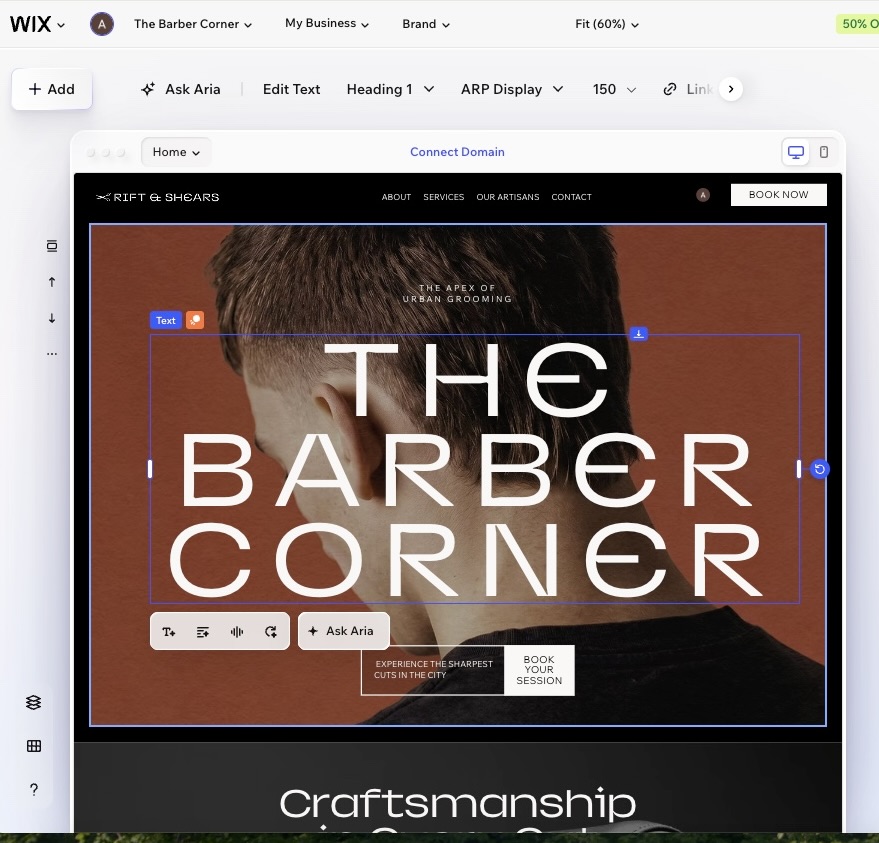
The result included a complete starting layout with sections for the business, services, and calls to action. Wix provides plenty of editing options, though the number of controls can make the setup process more involved than with simpler builders.
What Wix does well:
- AI website generation creates an initial site based on your business details
- Flexible editing provides control over layouts, sections, text, images, and other elements
- Business tools include bookings, CRM features, payments, and marketing tools
- SEO features help manage search settings and website optimization
- App integrations add functionality as the website grows
Pricing:
- Light ($17/mo) covers the essentials for a basic business website
- Core ($29/mo) adds payments, ecommerce, and additional business tools
- Business ($39/mo) provides more e-commerce and marketing features
- Business Elite ($159/mo) offers the platform’s highest level of business functionality
Verdict: Wix is a good fit for growing businesses that need more functionality from their website. Its larger feature set provides room to expand, but it comes with higher pricing and a more involved setup.
Squarespace – Best Website Builder for Design-Forward Brands
Squarespace takes a template-led approach to website building, with layouts that place more emphasis on typography, imagery, and structured page design. Users can choose a template and build out the site using its visual editor.
Next, we took The Barber Corner to Squarespace to see what its website builder could produce:
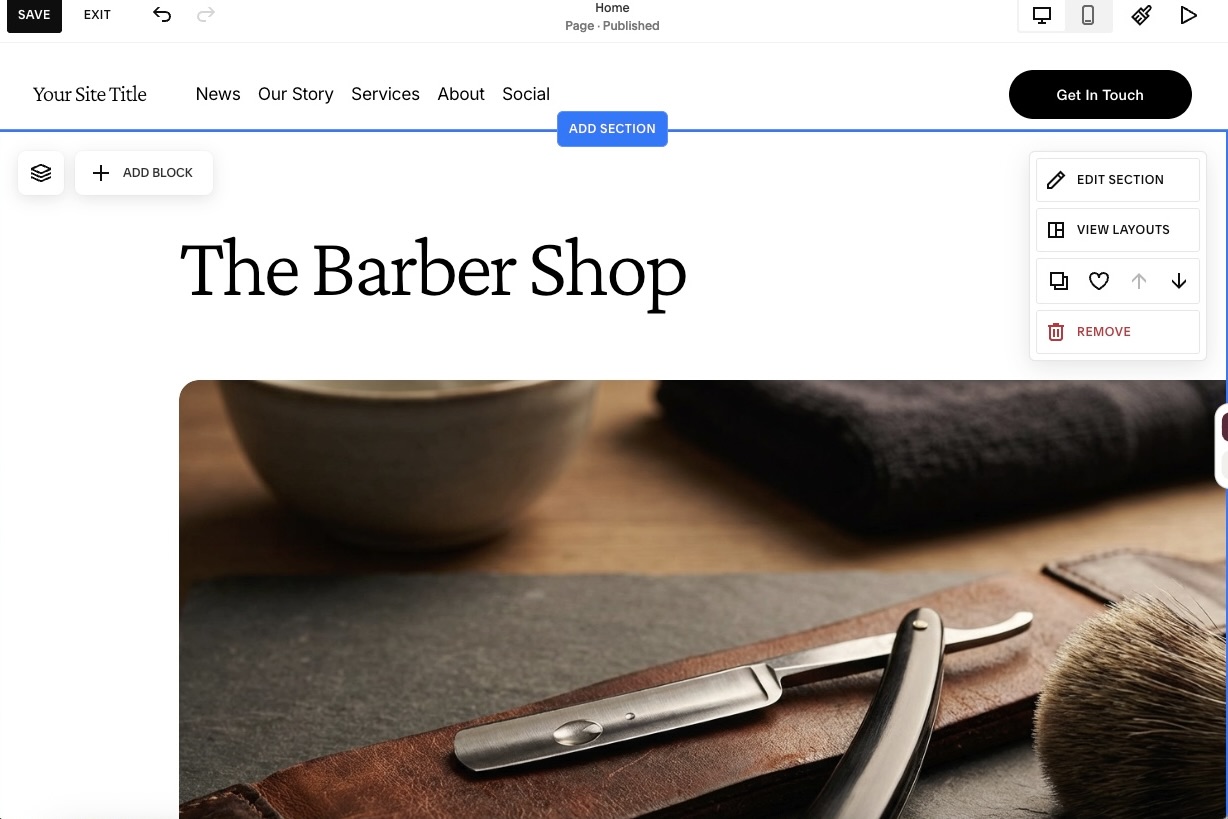
The template used large imagery and clearly separated content sections. Compared with builders that generate more of the site automatically, Squarespace required more manual editing to get the pages and content into place.
What Squarespace does well:
- Website templates provide structured layouts for different types of businesses
- Visual editing gives users control over sections, images, text, and page layouts
- AI writing tools help generate and refine website copy
- Blogging features support articles and regularly published content
- Portfolio tools provide dedicated layouts for showcasing projects and services
Pricing:
- Basic ($16/mo) includes the main website building and publishing features
- Core ($23/mo) adds more business and selling tools
- Plus ($39/mo) expands its e-commerce features
- Advanced ($99/mo) includes its most extensive selling features
Verdict: Squarespace is a good option for businesses that prioritize website presentation and want to start from a structured template. The trade-off is a more hands-on building process. Squarespace does not have a permanent free plan. Users can try the website builder for 14 days before choosing a paid subscription.
The Bottom Line
Most website builders can get a small business online, but very few can get it online looking like a finished, cohesive brand from day one. The tools that actually pull this off do more than hand you a template. They generate a logo, color palette, fonts, and a full website together, so nothing needs to be matched or fixed by hand afterward.
Of everything tested, Design.com is the strongest overall pick. It offers the fastest path from idea to a fully published site, and the brand kit that comes with it keeps a logo, business cards, and social presence consistent without any extra design work.
BrandCrowd comes as the runner-up, delivering that same complete, matching result for business owners whose branding instinct starts with the logo rather than the layout.
Whichever platform you choose, the end result is what counts. Your website should look polished, feel consistent, and represent your small business clearly. It should also make it easy for customers to find what they need without adding unnecessary complexity.
FAQs About Website Builders for Small Businesses
1. What should a small business look for in a website builder?
The best option depends on what your business needs. Look for a platform that balances ease of use, professional templates, useful business features, and pricing that fits your budget.
2. Do I need a logo before building my website?
No. You can build a website before finalizing your logo, although having your colors, fonts, and basic visual identity ready can make the design process easier.
3. Do website builders require coding or design experience?
Most modern website builders require no coding experience. They typically provide templates, visual editors, and guided tools that make it possible for beginners to build and publish a site.
4. Is the cheapest website builder always the best value?
Not necessarily. Price matters, but you should also consider templates, storage, business features, branding tools, and any additional costs you may need to pay as your website grows.
5. How quickly can a small business launch a website?
A simple small business website can often be created and published within a day. Larger websites with more pages, original content, ecommerce features, or detailed design work can take considerably longer.
Terms in this guide