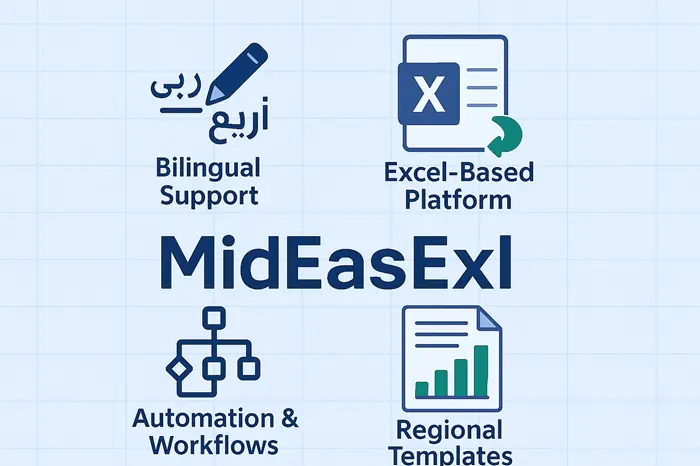
MidEasExl is presented by its provider as an Excel add-on for MENA (Middle East and North Africa) teams that work in Arabic and English in the same spreadsheet. The features it lists are right-to-left text support, Hijri and Gregorian dates, bilingual menus and localised finance templates.
We haven’t tested MidEasExl. This page sets out what it claims, what Excel already does on its own, and how to check the difference before you pay.
What is MidEasExl?
MidEasExl is an Excel add-on, meaning an extra module you install inside Microsoft Excel that adds menus, templates and automation to the workbooks you already use. Its provider pitches it at one specific job: making Excel work smoothly for Arabic and English reporting in the MENA region.
MidEasExl is a spreadsheet tool, not a smart-home, hospital or factory control system. An add-on reads and writes workbook data. It doesn’t run lights, thermostats or medical equipment.
 Treat every MidEasExl feature on this page as the provider’s description, not a test result.
Who is MidEasExl meant for?
MidEasExl is aimed at finance, admin and reporting staff in MENA companies who build the same report in Arabic and English, keep dates in two calendars or follow local accounting formats.
If you work in one language and use only the Gregorian calendar, you’re not the target user. Plain Excel covers that work. An add-on only adds cost and one more thing to maintain.
What problems does MidEasExl claim to solve?
MidEasExl claims to fix three everyday problems with bilingual spreadsheets: broken text direction, dates kept in two calendars, and finance reports that need a local format.
Mixed Arabic and English text
Mixed-language cells are where manual errors creep in. Numbers jump position, punctuation lands on the wrong side and labels misalign when right-to-left Arabic sits next to left-to-right English. MidEasExl says its formats and checks keep both languages intact in one report. That’s the first claim to test, and you should test it with your messiest real report, not a demo file.
Two calendars in one workbook
Some organisations in the region record dates in both the Hijri (Islamic lunar) calendar and the Gregorian calendar. MidEasExl lists handling of both calendars as a core feature. The provider also says templates turn hours of budget and payroll work into minutes. We can’t confirm that, so time one real task yourself during a trial.
Local finance and Shariah-compliant reporting
MidEasExl’s provider says its finance templates follow local accounting formats and Shariah-compliant financial processes. A template can’t make a report compliant on its own. Have your accountant or Shariah adviser compare one template against a report you’ve already filed before you rely on it.
Where MidEasExl would fit in day-to-day work
MidEasExl fits best in departments that turn the same data into bilingual reports every month. Two areas match the features it lists.
Business and finance
Finance teams in banks, fintech companies and investment firms are the clearest fit. The provider names payroll, invoices, budget updates in Arabic and English, and tracking of Shariah-compliant investments as typical tasks. If your figures start life in PDF statements, a PDF to Excel converter handles the import step before any add-on comes into play.
NGOs, government and education
Public bodies, nonprofits, schools and universities produce reports, notices and compliance files in both languages.
A bilingual template saves typing the same table twice. It also keeps both versions in one file, so a correction made in one language doesn’t get lost in the other.
MidEasExl’s listed features for MENA users
MidEasExl is sold by its provider, so check the provider’s own website for current availability. The provider lists six features, summarised in plain words below. We haven’t tested any of them.
Features the provider lists
| Feature | Benefits |
| Bilingual Interface | Arabic and English menus in one tool |
| Hijri and Gregorian calendars | Manages dates in both calendar systems |
| RTL Text Support | Displays Arabic text right to left without broken formatting |
| Financial Templates | Report templates for local accounting formats |
| Automation Tools | Speeds up routine tasks and cuts manual errors |
| Integration Capabilities | Connects to other apps and cloud platforms |
The provider sets MidEasExl’s plans and prices. Ask for them in writing, with what each plan includes, because we can’t confirm which figures are current.
What does Excel already do without MidEasExl?
Microsoft Excel already covers most bilingual basics, so check this list before you pay for any add-on:
- Arabic text in cells, formulas and charts once Arabic is added as an editing language
- Right-to-left sheets through the Sheet Right-to-Left button on the Page Layout tab
- Hijri date formats in Format Cells when an Arabic locale is selected
- Live co-authoring and version history for files saved to OneDrive or SharePoint in Microsoft 365
- Imports from CSV files, databases and the web through Power Query (Get Data)
- Repeated tasks automated with macros or Office Scripts
- Built-in charts that cover most data visualisation in reports
MidEasExl has to earn its price on top of all that. It needs ready-made bilingual templates, calendar conversions you don’t have to build, and checks that catch mixed-direction errors.
Use this rule: if you’d build the same bilingual report from scratch every month, a trial is worth an hour. If not, stay with plain Excel.
| Your situation | What to use |
|---|---|
| One language, Gregorian dates only | Plain Excel |
| Occasional Arabic labels in English reports | Plain Excel with Arabic added as an editing language |
| Bilingual reports rebuilt every month | Trial an add-on such as MidEasExl |
| Hijri and Gregorian dates side by side in one report | Compare the add-on with Excel’s own Hijri format first |
| Shariah-compliant finance reporting | Your accountant’s template first, then an add-on if it saves time |
How to test MidEasExl before you pay
Test MidEasExl on your own work, not on the provider’s demo files. Check the provider’s website to see whether a free trial is offered. Work through these seven steps with one real report:
- Ask the provider for current plans, prices and trial terms in writing.
- Back up the workbooks you’ll test on with one of the cloud backup solutions your team already trusts.
- Rebuild one real bilingual report and check every mixed Arabic and English cell.
- Enter dates you already know in both calendars and confirm the add-on matches them.
- Ask your accountant to compare one finance template with a report you’ve already filed.
- Ask where MidEasExl stores or sends your data, and get your IT admin’s approval before installing.
- Send a finished file to a colleague without the add-on and check it opens and calculates correctly.
Steps 3 and 4 decide it. If MidEasExl doesn’t beat plain Excel on text direction and dates, skip it. Those are the jobs it exists for.
Frequently asked questions
Does MidEasExl control lights or smart devices?
No. MidEasExl is described as an Excel add-on, and an add-on works on spreadsheet data, not on lights, thermostats or sound systems. Treat any claim that it adjusts a home or office to your mood as unsupported.
How much does MidEasExl cost?
MidEasExl’s prices are set by its provider and can change, so get the current plan list in writing before you sign up. During a trial, compare the yearly cost with the hours it saves on your monthly reports.
Can MidEasExl be customised for one business?
The provider says you can set up your own workflows, report templates and automation rules. Ask which plan includes custom templates before you choose one.
Has MexSEO tested MidEasExl?
No. This page describes MidEasExl from its provider’s own claims and compares them with what Excel does natively. Run the seven-step test above on your own reports before you rely on any of it.