
PimpAndHost is a public image hosting and gallery site, best known for the adult content its users upload. That makes it the wrong place for a company’s photos.
This page covers what the site is and why search engines and work networks keep it out of view. It also covers where business images belong instead, and what to do if your own images turn up on PimpAndHost.
What is PimpAndHost?
PimpAndHost is an image hosting website where users upload pictures into galleries and share links to them. Much of its public content is explicit adult material, and that shapes how browsers, network filters and search engines treat the whole domain. MexSEO has no connection to PimpAndHost and doesn’t recommend it for any business use.
Is PimpAndHost safe for business images?
PimpAndHost is not a safe home for images that carry your brand. The 4 reasons have nothing to do with how the upload tool works.
Your photo sits next to explicit galleries, ads and links you don’t control. Office, school and public Wi-Fi filters often block adult domains, so clients and staff can’t open your link.
You get no service promise, so a gallery can disappear without notice. And anyone who finds your image there links your name to the site.
Why PimpAndHost is hard to find in search results
PimpAndHost is hard to find because search engines filter explicit sites out of normal results. Google’s SafeSearch setting hides or blurs explicit images, videos and websites, and Bing has its own SafeSearch filter.
Whether Google has also dropped PimpAndHost from its index altogether is unclear. You can check for yourself by searching site:pimpandhost.com in Google.
The same filtering applies to your images. Google ranks an image using the page it appears on, including that page’s title, text and alt text. If that page sits on a filtered adult domain, most searchers will never see the image.
What PimpAndHost offers, and what it leaves out
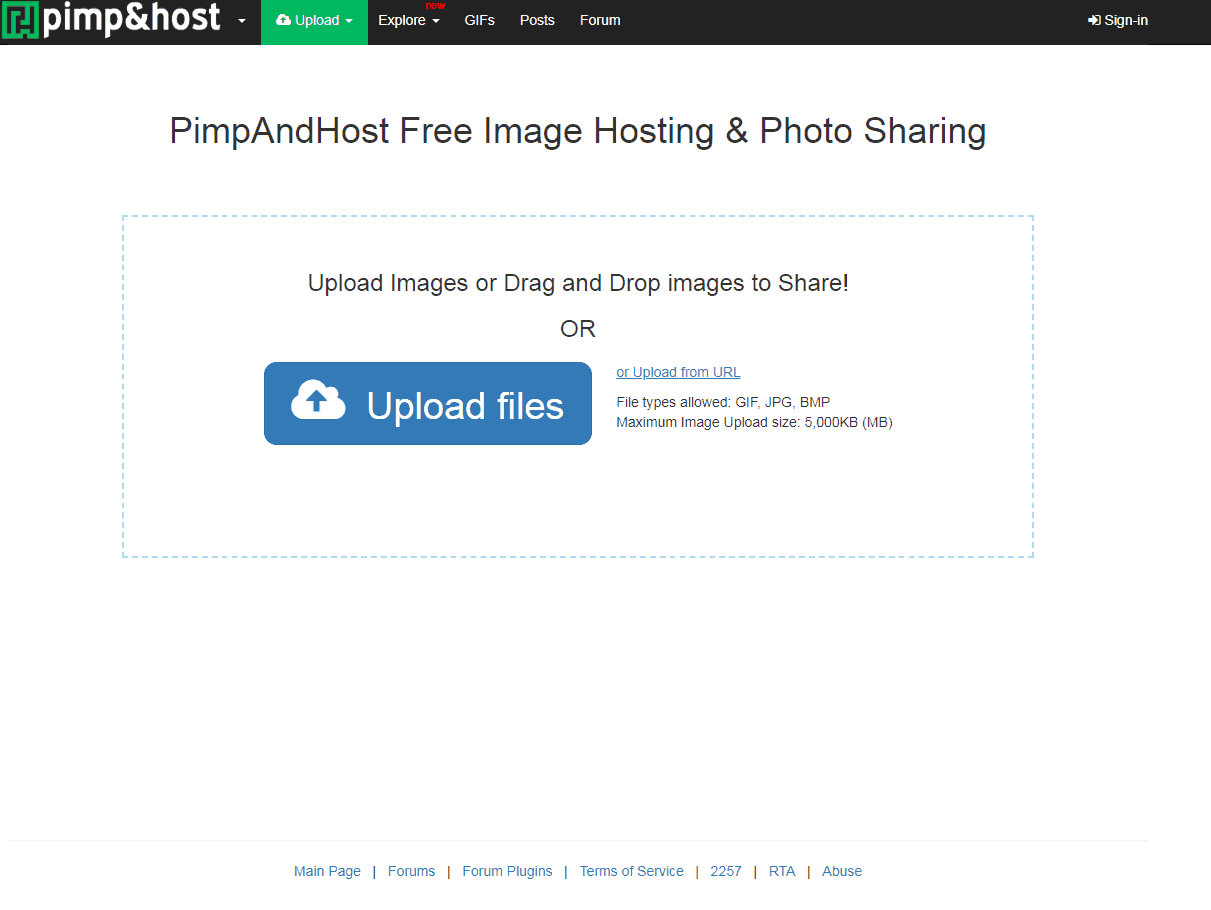
PimpAndHost offers the basics of a public image host: upload pictures, group them into albums and share a link. There is a free plan with 1,000 images a day and 1 GB of storage.
The things a business needs are missing. You can’t set the page title, surrounding text or alt text, which are the signals Google uses to understand an image.
You can’t switch off the content around your gallery either. If a file vanishes, nobody owes you an answer.
| Where to host business images | Good for | Trade-off |
|---|---|---|
| Your own website’s media library | Product, team and project photos you want found | Large files slow your pages unless you compress them |
| A CDN in front of your site | Sites with many images or visitors in other countries | Extra setup, and sometimes a fee |
| Google Business Profile photos | Local firms showing their premises and finished work | The photos live on Google, not on your site |
| Mainstream public hosts such as Imgur or Flickr | A quick link to share outside your site | Their rules and uptime, not yours |
| Adult-focused hosts such as PimpAndHost | Nothing a business needs | Filtered, often blocked, and a brand risk |
How should a business host its images instead?
A business should host its images on its own website, where it controls the file, the page and the text around it. Images on your domain can rank in Google Images and send visitors to your pages, not someone else’s.
Server speed matters too, because heavy images on a slow server drag down the whole page. Our guide on how web hosting affects SEO covers that side. The steps below cover the images themselves.
- Upload the original image to your own site’s media library, not to a third-party gallery.
- Rename the file to describe what it shows, such as “oak-kitchen-worktop.jpg” instead of “IMG_4821.jpg”.
- Compress the image and save it as WebP where your site supports that format.
- Write alt text that tells a visitor using a screen reader what the picture shows, in one plain sentence.
- Place the image on a page whose heading and text match its subject, as our guide to image SEO explains.
- Add your best photos of your premises and work to your Google Business Profile as well.
- Check every few months where copies of your key photos appear online.
What to do if your images appear on PimpAndHost
If your photos appear on PimpAndHost without permission, ask the host to remove them first. Then ask search engines to drop the pages. Work through these steps in order.
- Find every copy with a reverse image search in Google Lens or Bing Visual Search.
- Save each gallery URL and a dated screenshot as evidence.
- Look for the site’s report, abuse or copyright contact and send a removal request. If you can’t find one, check the site’s terms or help pages for how to report content.
- For a copyright claim, state that you own the image, link to the original and name the copied URL.
- If the host doesn’t act, ask Google to remove the page through its legal removal request form.
- If the image shows a real person in an explicit context without their consent, use Google’s separate removal request for that case.
- Search again after a few weeks and repeat the requests if copies come back.
This is general information, not legal advice. For a serious copyright or privacy case, talk to a lawyer where you’re based.
Check where your own images live this week
Pick your 5 most important photos, such as your logo, storefront and best project shots, and run each one through a reverse image search. If any sit on a host you’d never choose, start the removal steps above. Then move any brand images still on free galleries onto your own site. For everything else MexSEO writes about, from local SEO to Google Ads, start at the MexSEO homepage.
Frequently asked questions
What are good alternatives to PimpAndHost for sharing images?
For business use, your own website is the best alternative to PimpAndHost, because you control the page and its search signals. For quick public links, mainstream hosts such as Imgur, Flickr and SmugMug are safer choices. Imgur banned explicit content in 2023. Tinypic, which older lists still mention, closed in 2019.
Do images hosted on another site help my SEO?
Images hosted on another domain mostly help that domain, not yours. You can embed a hosted image on your page, but then you depend on the host staying online and allowing the embed. Keep brand images on your own site or on a CDN you control.
Is PimpAndHost connected to MexSEO?
No. MexSEO is a Stockholm SEO and digital marketing agency with no link to PimpAndHost, and this page is not an endorsement. It explains the site because business owners sometimes find their own images on it.
Terms in this guide