A fake email generator creates a temporary, disposable address you can use instead of your real one for sign-ups, gated content, or testing. It keeps spam, phishing, and data breaches out of your primary inbox and lets you stay anonymous. This page compares 17 services by lifespan, features, and best fit so you can pick the right one without testing each yourself.
What are fake email generators?
Fake email generators (also called temporary or disposable email services) create randomised addresses on a provider’s domain. You receive mail at that address for a limited time, minutes to days, then the inbox and address are deleted automatically. The goal is to put a buffer between your real email and any site that demands registration.
How do fake email generators work?
The service generates a unique address (random string @ provider domain) and hosts a temporary mailbox for it. Incoming mail appears in a web inbox; some services let you reply, forward, or fetch via API. After the service’s retention window expires, the address and its mail are purged. No password, no sign-up, no link to your identity, unless you voluntarily add one.
Why use a disposable email address?
The main reasons marketers and developers reach for these tools:
- Spam avoidance: Keep promotional mail and list‑sharing fallout out of your real inbox.
- Privacy protection: No personal data tied to the throwaway address; reduces exposure in breaches.
- Testing & QA: Verify email flows, signup funnels, and transactional templates without real accounts.
- Anonymous access: Read gated content or join forums without linking activity to your identity.
- Bypass simple gates: Some geo‑ or domain‑blocks fall away when the address comes from an allowed provider.
- Compartmentalisation: Use a different throwaway address per service to limit cross‑tracking.
Quick comparison: 17 disposable email tools at a glance
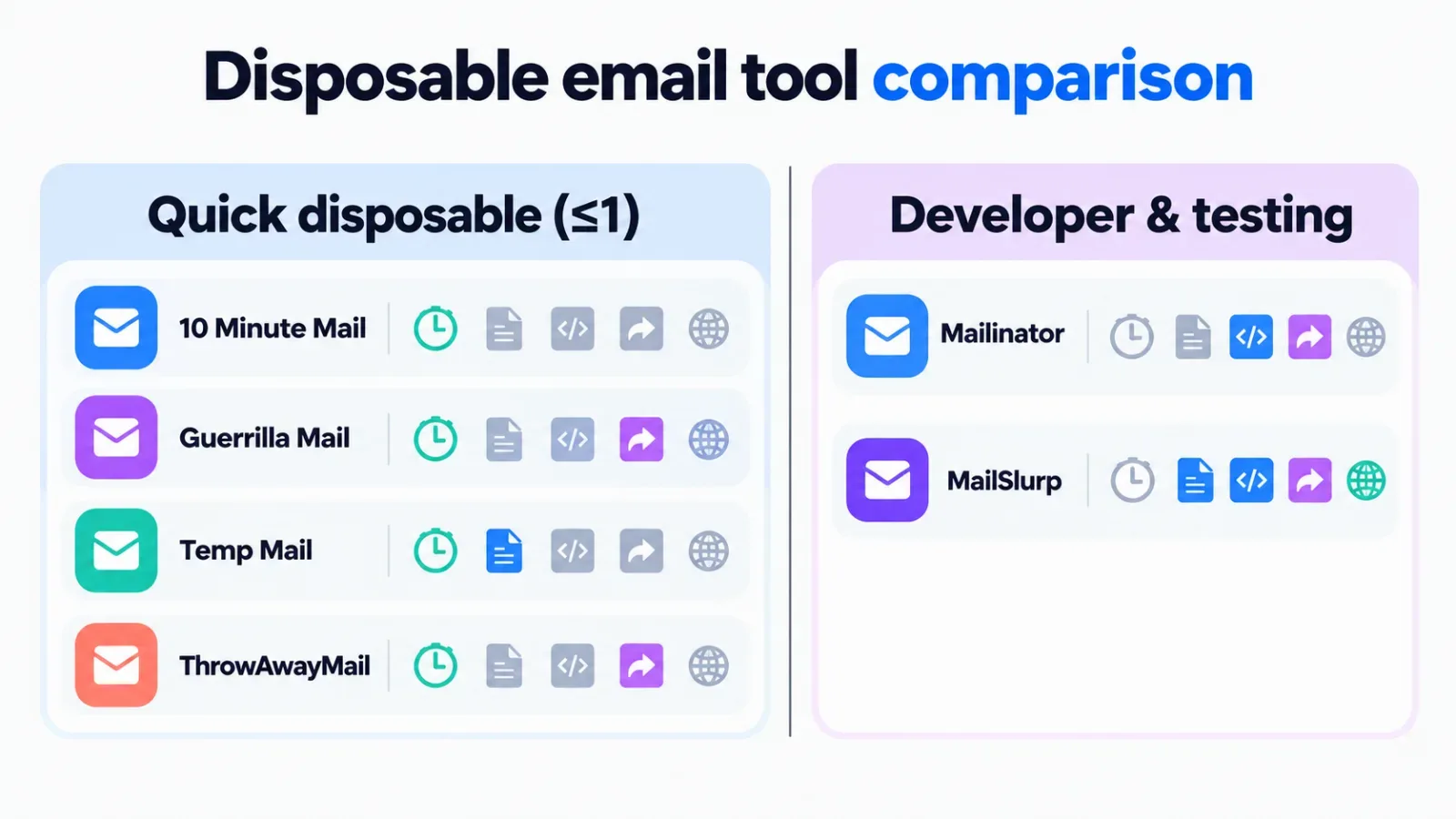
Methodology: Tools were selected from known public providers. We have not tested them; data comes from each vendor’s public documentation and website as of the publish date. Features change, check the source before relying on a specific capability.
| Tool | Typical lifespan | Attachments | Forwarding | API / dev features | Custom username | Custom domain | Best for |
|---|---|---|---|---|---|---|---|
| 10 Minute Mail | 10 minutes | No | No | No | No | No | Fastest one‑off verification |
| Guerrilla Mail | 1 hour | Yes | No | No | Yes | No | Quick sign‑ups needing attachments |
| Temp Mail | Hours to days | No | Yes | No | Yes | No | Longer‑lived disposable inbox |
| ThrowAwayMail | 48 hours | No | No | No | Yes | No | Multi‑day access without signup |
| MailDrop | Indefinite* | No | No | No | Yes | No | Shared/public inboxes for testing |
| Dispostable | Session-based | No | Yes | No | Yes | No | Forwarding to real inbox |
| Fakemail.net | Varies | No | No | No | Yes | Yes | Domain choice for credibility |
| Emailfake | Session-based | No | No | No | Yes | Yes | Quick custom address |
| Yopmail | 8 days | No | No | No | Yes | No | Longer retention, no frills |
| Generator.email | Session-based | No | Yes | No | Yes | No | Forwarding + custom name |
| GetNada | 7 days | Yes | No | No | Yes | Yes | Attachments + domain choice |
| AdGuard Temp Mail | 7 days | No | No | No | No | No | Privacy‑brand trust, simple UI |
| Internxt Temp Mail | Session-based | No | No | No | No | No | Part of encrypted suite |
| FakeMailGenerator | Varies | No | No | No | Yes | Yes | Multiple domain options |
| Mailinator | Hours (public) | Yes | No | Yes (paid) | No (public) | No (public) | Public inbox sharing, team testing |
| MailSlurp | Configurable | Yes | Yes | Full REST API | Yes | Yes (paid) | Automated QA, CI/CD pipelines |
* MailDrop addresses persist until manually deleted or inactive; anyone knowing the address sees the mail.
How to choose the right disposable email tool
Match the tool to the job. Three questions decide it:
How long do you need the address?
One verification email: 10 Minute Mail or Guerrilla Mail. Hours to days: Temp Mail, ThrowAwayMail, Yopmail, GetNada. Weeks or programmable: MailSlurp (paid) or a custom domain on FakeMailGenerator/Emailfake.
Do you need attachments or replies?
Guerrilla Mail, GetNada, Mailinator, and MailSlurp support attachments. Only MailSlurp and Dispostable/Generator.email/Temp Mail offer forwarding or reply features.
Are you a developer automating tests?
MailSlurp is built for this: REST API, webhooks, custom domains, programmable lifespans. Mailinator’s paid API works for simpler shared-inbox testing. The rest are manual, browser‑only tools.
Do you care who runs the service?
AdGuard and Internxt come from established privacy companies with published policies. Most others are side projects with minimal disclosure. For sensitive work, prefer a provider with a clear privacy policy and business model.
Do you need a disposable email tool at all?
When a real alias is better
- You need the address to work next month.
- You must reply or maintain a thread.
- The site blocks known disposable domains (many do).
- You are signing up for something tied to billing, identity, or recovery.
If you own the domain, create a catch‑all alias (e.g., [email protected]) and filter by the To: address. Gmail and Outlook let you append +tag to your address ([email protected]), most sites accept it, and you keep one inbox. Use a throwaway service only when you cannot use your own domain or the + trick is blocked.
FAQ: disposable email for marketers
Pick the tool that matches your lifespan and feature needs from the table above. For one‑off verifications, 10 Minute Mail or Guerrilla Mail are fastest. For QA automation, MailSlurp is the only purpose‑built option. For everything in between, Temp Mail, Yopmail, or GetNada cover most cases. If you hit a domain block, move to a custom‑domain provider or your own catch‑all alias.
### Are disposable email addresses legal?
Yes. Using a temporary address for sign‑ups or testing is legal in most jurisdictions. Fraud, impersonation, or evading law‑enforcement requests with them is not. Check local law if you operate in regulated sectors.
### Can sites detect and block disposable domains?
Many do. Major platforms maintain blocklists of known temp‑mail domains. If a service rejects your address, switch to a tool with custom domains (MailSlurp, FakeMailGenerator) or use your own domain with a catch‑all.
### How long do messages stay readable?
From 10 minutes (10 Minute Mail) to 8 days (Yopmail). MailSlurp lets you set retention per address. Assume the mail is gone after the stated window, do not use these for anything you must retrieve later.
### Is it safe to receive sensitive data (OTP, password reset) at a temp address?
No. Anyone who knows or guesses the address can read the mail. Public inboxes (MailDrop, Mailinator public tier) are visible to everyone. Use your real email or a controlled alias for anything security‑critical.
### Can I send email from a disposable address?
Most free tools are receive‑only. MailSlurp, Guerrilla Mail, and Temp Mail (via forwarding) allow sending or replying. For transactional email testing, MailSlurp’s API is the only one built for outbound automation.
### Do these tools work for email marketing list testing?
Only for checking that your own signup form delivers a confirmation mail. You cannot test deliverability, rendering, or spam scoring with a disposable inbox, those require real mailboxes at major providers (Gmail, Outlook, Yahoo). See our guide on email extractors for lead generation for list‑building context.
Terms in this guide